

Sfoglia
Appunti, lezioni e studio in un'unica app.
Notes, lectures and study in one app.
Su Google Play e per Windows, Mac e Linux. Prossimamente sull'App Store.
On Google Play and for Windows, Mac and Linux. Coming soon to the App Store.
Su Google Play. Prossimamente per Windows, Mac e Linux e sull'App Store.
On Google Play. Coming soon for Windows, Mac and Linux and to the App Store.


Cosa puoi fareWhat you can do
-
Quaderni digitali
Digital notebooks
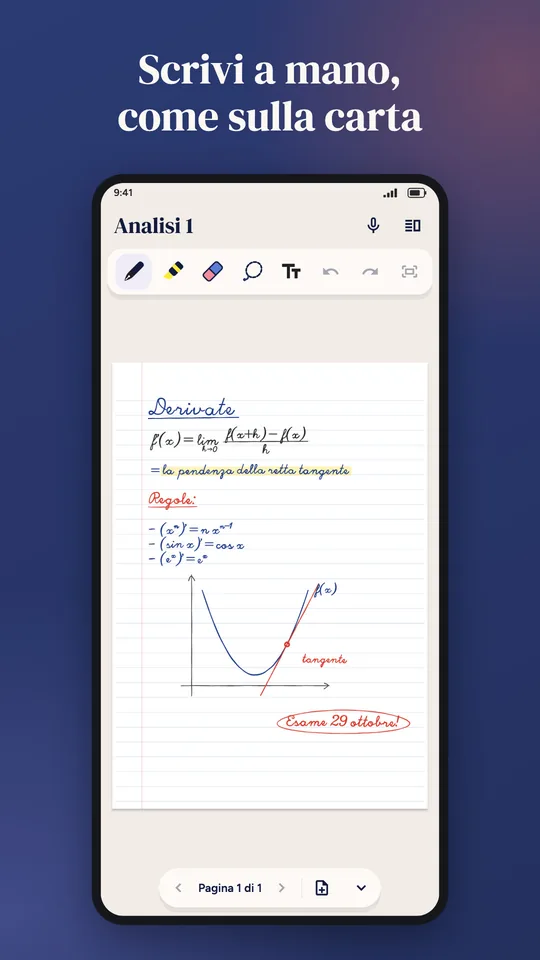
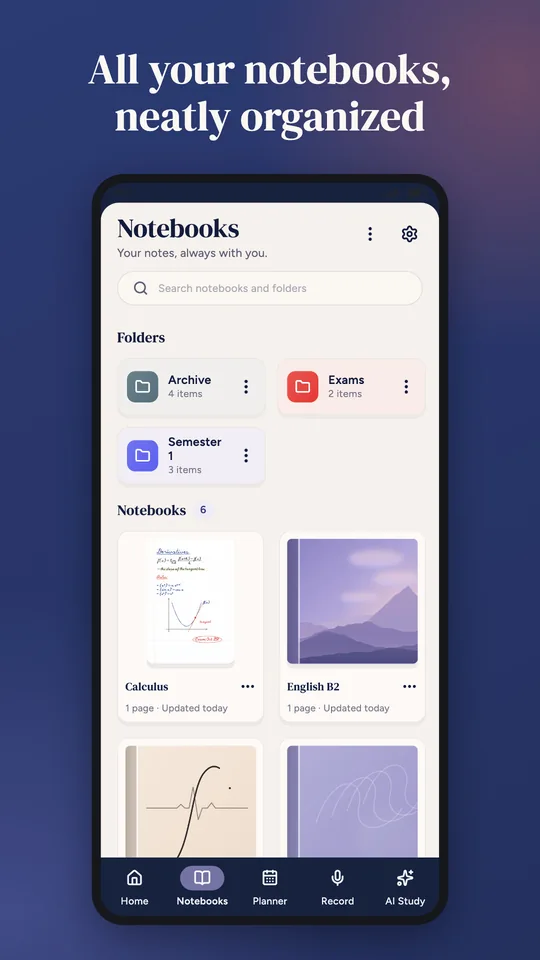
Scrivi a mano con la penna, il dito o la tavoletta grafica, o con la tastiera; importa PDF, foto e file Word, PowerPoint ed Excel e scrivici sopra, poi esportali in PDF.
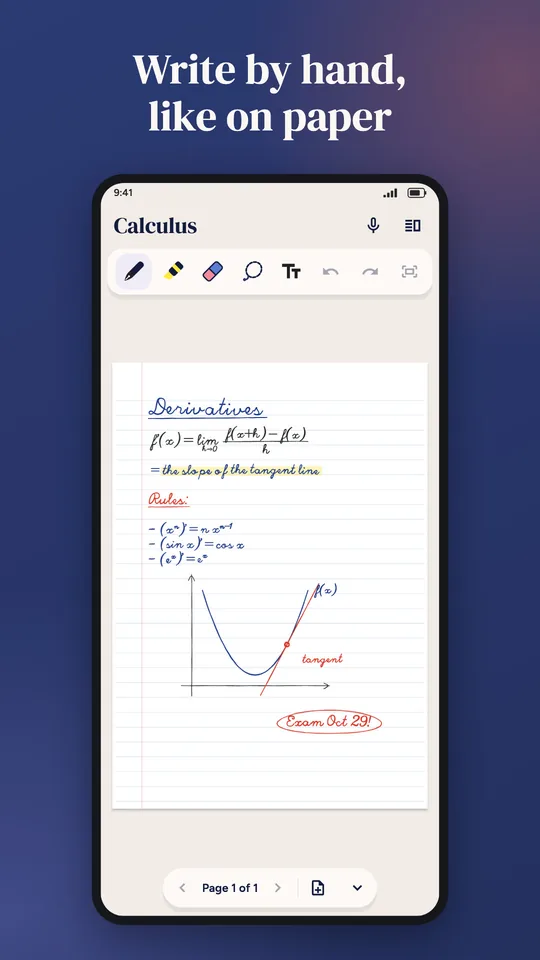
Write by hand with a stylus, your finger or a graphics tablet, or type; import PDFs, photos and Word, PowerPoint and Excel files, write on them, then export to PDF.
-
Lezioni registrate
Recorded lectures
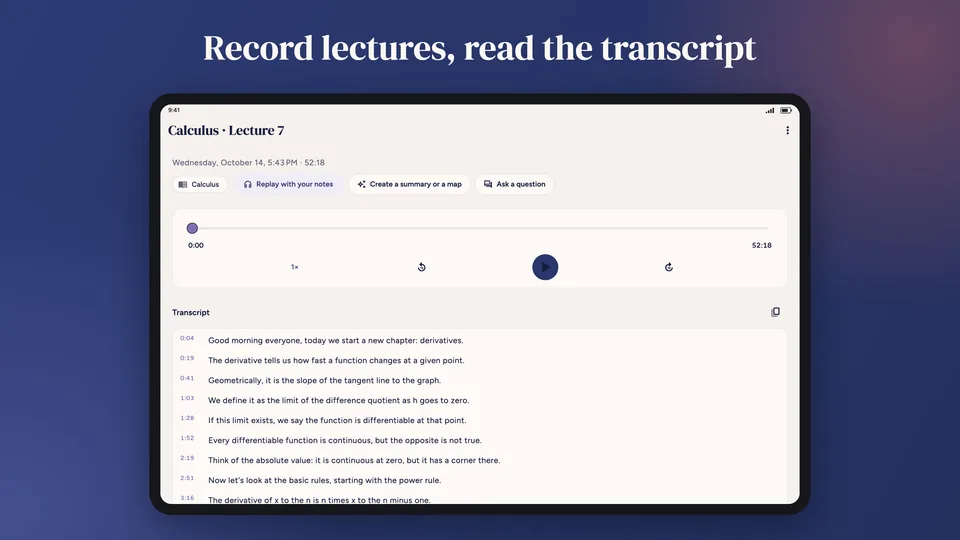
Registra in aula, anche a schermo spento: la trascrizione avviene sul tuo dispositivo, anche senza internet.
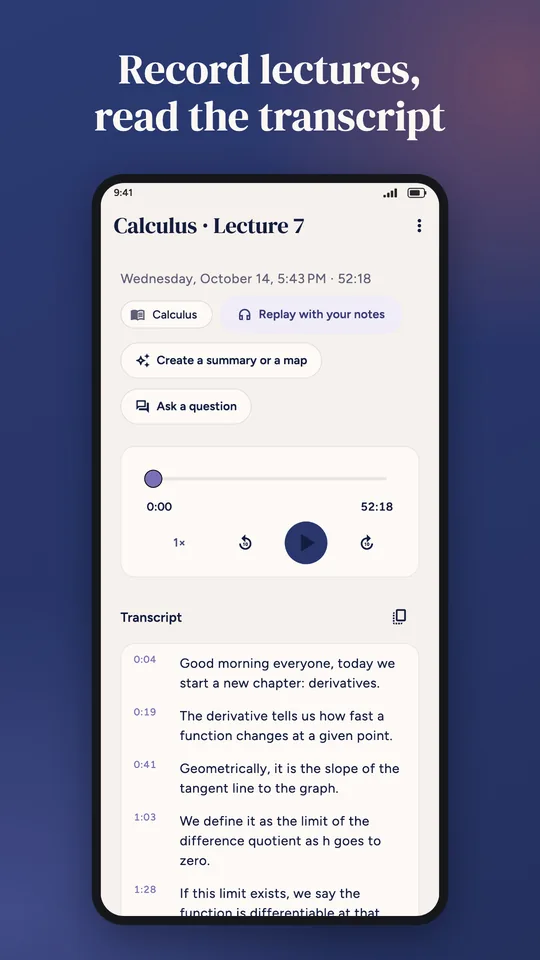
Record in class, even with the screen off: transcription happens on your device, even offline.
-
Schede di studio
Study sheets
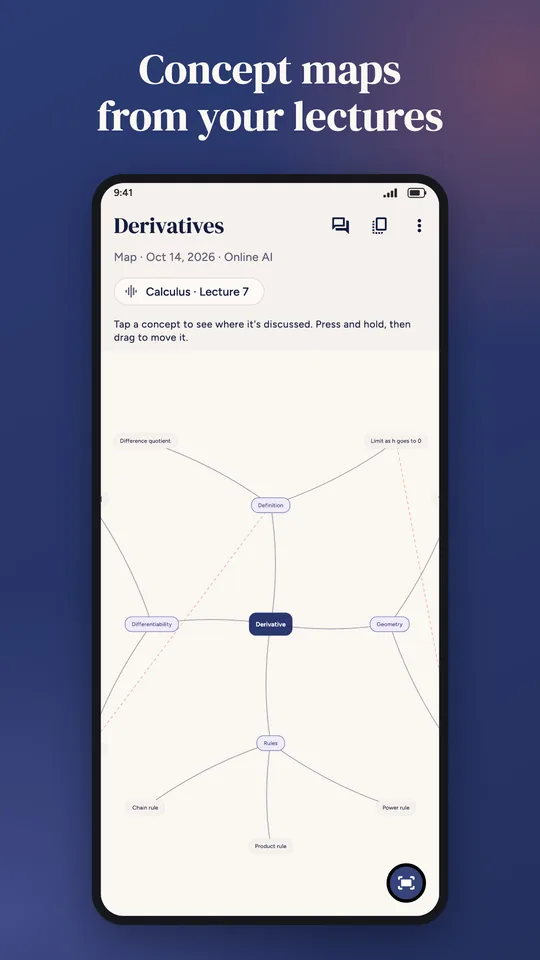
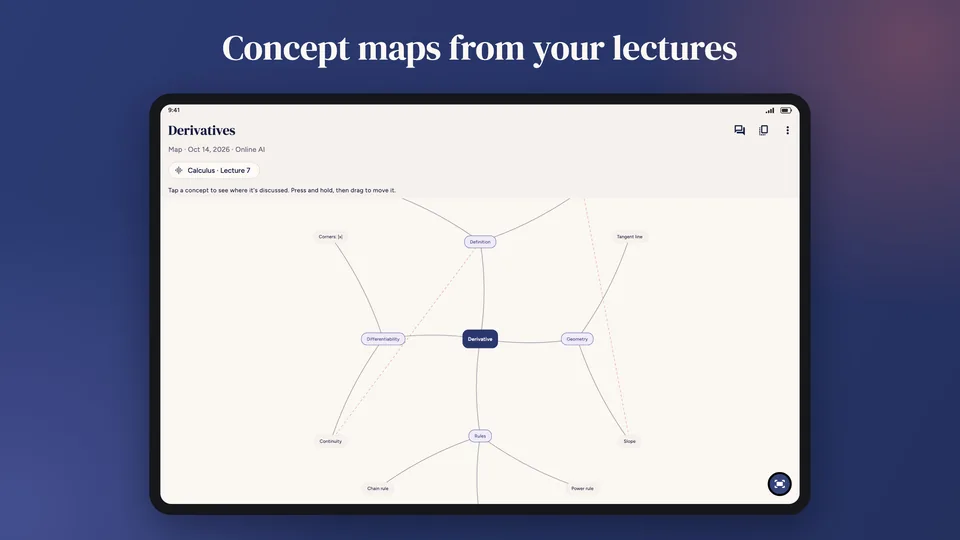
Riassunti, schemi e mappe concettuali che ti riportano al minuto della lezione o alla pagina del PDF; con il Pro, l'IA online e le domande alle tue fonti.
Summaries, outlines and concept maps that take you back to the minute of the lecture or the PDF page; with Pro, online AI and questions to your sources.
-
Planner
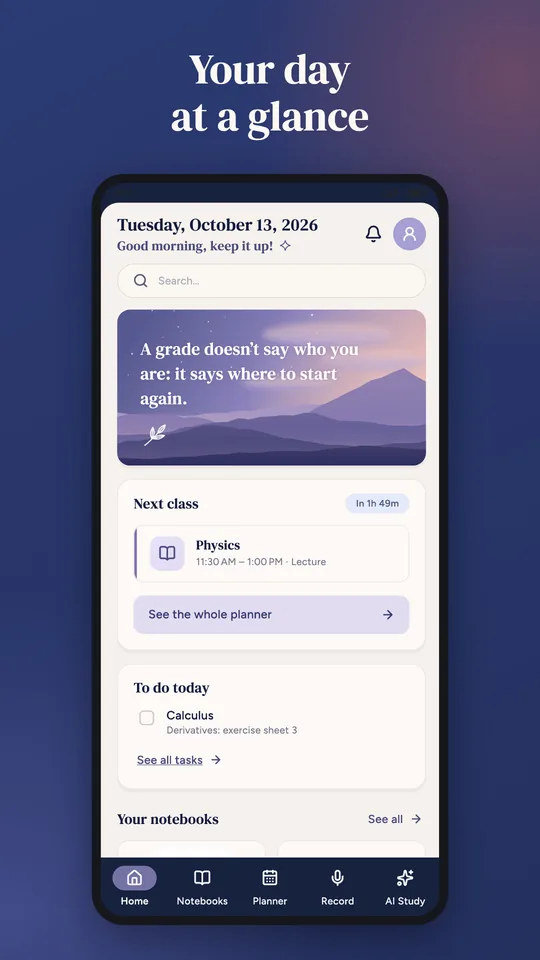
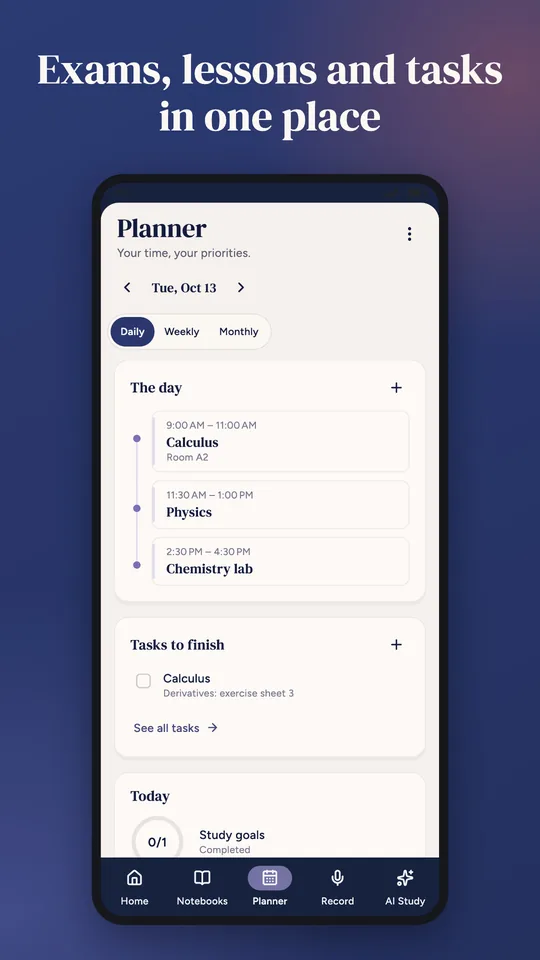
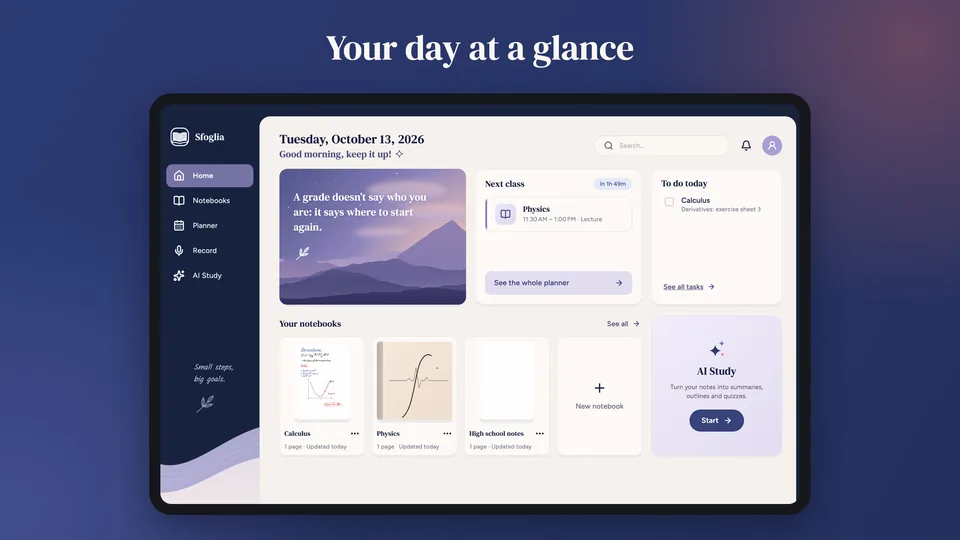
Esami con piano di ripasso, orario, compiti, promemoria e timer Pomodoro.
Exams with a review plan, timetable, tasks, reminders and a Pomodoro timer.
-
Quaderni condivisi
Shared notebooks
Con il Pro crei un quaderno condiviso: i compagni entrano con un codice, senza account, e scrivete insieme in tempo reale.
With Pro you create a shared notebook: classmates join with a code, no account needed, and you write together in real time.
-
Scanner
Scanner
Fotografa i fogli di carta: Sfoglia trova i bordi, li raddrizza e li mette in un quaderno. Con il Pro l'IA ne legge anche il testo.
Snap your paper sheets: Sfoglia finds the edges, straightens them and puts them in a notebook. With Pro, the AI also reads their text.
-
Ripasso intelligente
Smart review
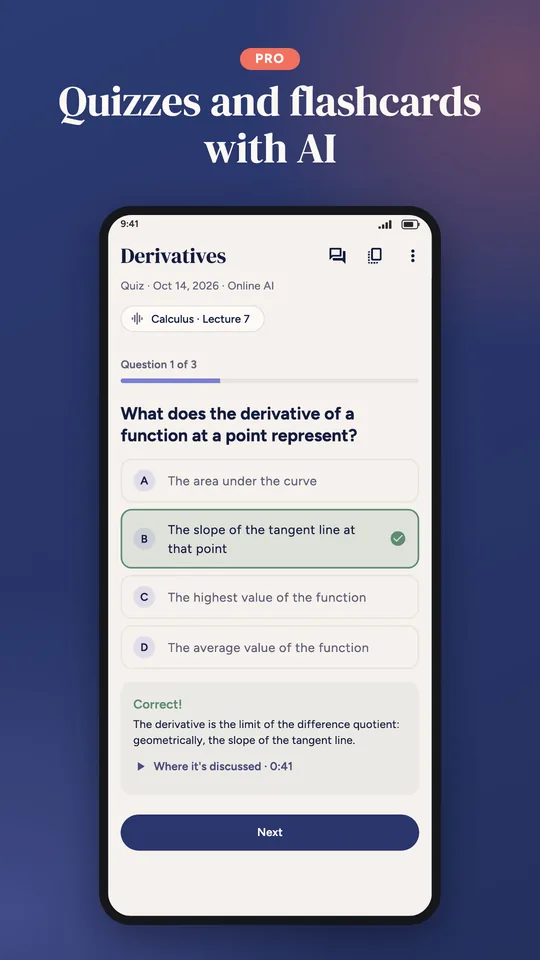
Dici se un argomento è facile, incerto o difficile e Sfoglia te lo ripropone al momento giusto. Con il Pro, quiz e flashcard fatti dall'IA.
Tell Sfoglia if a topic is easy, unsure or hard and it brings it back at the right time. With Pro, quizzes and flashcards made by AI.
-
I tuoi dati al sicuro
Your data, safe
Funziona anche senza internet. Backup automatici, anche protetti da una password, e versioni precedenti dei quaderni.
Works offline too. Automatic backups, even protected by a password, and earlier versions of your notebooks.
I tuoi quaderni, le registrazioni e il planner restano sul tuo dispositivo, salvo le funzioni online che scegli. Niente pubblicità, account facoltativo. Your notebooks, recordings and planner stay on your device, except for the online features you choose. No ads, optional account.
PrezziPricing
Sfoglia è gratis, senza pubblicità. Il Pro è facoltativo e aggiunge l'IA online.
Sfoglia is free, with no ads. Pro is optional and adds online AI.
-
Gratis
Free
0 €
- Quaderni, PDF, foto e file Office, esportazione in PDF
- Notebooks, PDFs, photos and Office files, export to PDF
- Lezioni registrate con la trascrizione sul dispositivo
- Recorded lectures with on-device transcription
- Planner, timer di studio, scanner e ripasso intelligente
- Planner, study timer, scanner and smart review
- Riassunti, schemi e mappe fatti sul dispositivo
- Summaries, outlines and maps made on your device
-
Sfoglia Pro
3,99 € al mese€3.99 per month
oppure 29,99 € all'anno (2,50 € al mese)or €29.99 per year (€2.50 per month)
- Tutto quello che è gratis, più:
- Everything in Free, plus:
- IA online: riassunti, schemi e mappe dalle tue lezioni e dai tuoi appunti
- Online AI: summaries, outlines and maps from your lectures and notes
- Quiz e flashcard, domande alle tue fonti e «Studia con me»
- Quizzes and flashcards, questions to your sources and “Study with me”
- Trascrizione online e appunti a mano e foto come fonti
- Online transcription, handwritten notes and photos as sources
- Quaderni condivisi in tempo reale
- Real-time shared notebooks
Prezzi finali in euro. Su telefono e tablet il Pro si compra con Google Play; sul computer con Creem, che vende per conto di TidyCapy. L'abbonamento si rinnova da solo e si disdice quando vuoi: il Pro resta fino alla fine del periodo pagato. Dettagli nelle condizioni d'uso. Final prices in euros. On phones and tablets Pro is bought with Google Play; on a computer with Creem, which sells on behalf of TidyCapy. The subscription renews automatically and you can cancel anytime: Pro stays until the end of the paid period. Details in the terms of use.
Scarica SfogliaDownload Sfoglia
Sul computer è la stessa app del tablet. Al primo avvio ti chiede come scrivi (tavoletta grafica, tastiera e mouse o schermo touch) e ti mostra solo gli strumenti che puoi usare.
On a computer it's the same app as on a tablet. The first time, it asks how you write (graphics tablet, keyboard and mouse, or touch screen) and shows only the tools you can use.
ComputerComputers
-
Il tuo computerYour computer
Scarica per WindowsDownload for Windows 23 MB · versione .zip senza installazione.zip version, no installation
Windows
Windows 10 e 11, 64 bitWindows 10 and 11, 64-bitLa prima voltaThe first time
Windows può dire «Windows ha protetto il PC»: scegli «Ulteriori informazioni» e poi «Esegui comunque». Succede alle app nuove senza un certificato a pagamento.
Windows may say "Windows protected your PC": choose "More info" and then "Run anyway". It happens with new apps that don't have a paid certificate.
-
Il tuo computerYour computer
Scarica per MacDownload for Mac 75 MB · .dmg
Mac
macOS 12 o successivo, chip Apple e IntelmacOS 12 or later, Apple and Intel chipsLa prima voltaThe first time
Apri il file e trascina Sfoglia in Applicazioni. Se macOS dice che non può verificare lo sviluppatore, premi «Fine»; poi Impostazioni di Sistema → Privacy e sicurezza → «Apri comunque», inserisci la password e conferma con «Apri».
Open the file and drag Sfoglia to Applications. If macOS says it can't verify the developer, click "Done"; then System Settings → Privacy & Security → "Open Anyway", enter your password and confirm with "Open".
-
Il tuo computerYour computer
Scarica il .debDownload the .deb 22 MB · oppure .tar.gzor .tar.gz
Linux
Ubuntu 22.04+, Debian 12+, Fedora 36+, 64 bitUbuntu 22.04+, Debian 12+, Fedora 36+, 64-bitLa prima voltaThe first time
Per registrare e riascoltare le lezioni servono ffmpeg e PulseAudio (vanno bene anche con PipeWire). Con il .deb si installano da soli; altrimenti:
sudo apt install ffmpeg pulseaudio-utilsRecording and playing lectures needs ffmpeg and PulseAudio (PipeWire works too). The .deb installs them for you; otherwise:
sudo apt install ffmpeg pulseaudio-utils
Telefono e tabletPhone and tablet
-
Il tuo dispositivoYour device
Scarica da Google PlayGet it on Google Play Gratis, con il Pro facoltativoFree, with optional Pro
Android
Telefoni e tablet, Android 8 o successivoPhones and tablets, Android 8 or later -
Il tuo dispositivoYour device
Prossimamente sull'App StoreComing soon to the App Store
iPhone e iPadiPhone and iPad
Telefoni e tablet AppleApple phones and tablets
Sul computer ci sono quaderni, lezioni con la trascrizione, planner, schede di studio e quaderni condivisi; l'IA online è nel Pro. Il Pro si compra anche dal computer, nell'app, con Creem; oppure, con l'account Sfoglia (entra con Google), il Pro preso sul telefono arriva da solo anche sul computer. Chi ha un codice Pro lo attiva dall'app. On a computer you get notebooks, lectures with transcription, the planner, study sheets and shared notebooks; online AI is part of Pro. You can buy Pro on a computer too, in the app, through Creem; or, with a Sfoglia account (sign in with Google), Pro bought on your phone shows up on the computer on its own. If you have a Pro code, activate it in the app.
SchermateScreenshots
Come appare Sfoglia sul telefono…
What Sfoglia looks like on a phone…




…e su tablet e computer.
…and on tablets and computers.






Informazioni e assistenzaInfo and support
- PrivacyPrivacyQuali dati usa l'app e perchéWhat data the app uses and why
- Condizioni d'usoTerms of useAbbonamento, rimborsi, regoleSubscription, refunds, rules
- AssistenzaSupportDomande frequenti e contattiFAQ and contact
- Eliminare i tuoi datiDelete your dataCome cancellare tuttoHow to delete everything